 28 October 2026
 16
16 9 minutes read
Back in the 1970s and 80s most homes had a television but very few had a computer monitor. For any computer manufacturer looking at the growing home market it made sense to design their computers to work with televisions.
Analogue televisions received RF signals around the 500MHz to 600MHz band so for a computer to work on a television the video signal was modulated to a frequency in that region. In many old computers you will find a small metal box next to the video output, this is the RF modulator.
Some computers like the BBC Micro or later Sinclair computers had both RF and composite or RGB video output, while others like the ZX81 only had an RF output.
For computers like the ZX81 this presents a bit of a problem for anyone wanting to use them in the modern day. There are options to convert the ZX81 to output a composite signal but that means modifying the motherboard or adding an extra module.
I didn’t want to modify my ZX81 and my old Ingersoll Screenplay game console only has an RF output so to I needed a way to view and capture analogue RF signals.
In the UK analogue TV signals were switched off in 2012 so finding modern TV with an analogue tuner is problematic.
This leaves the second hand market. You can find older televisions that supported analogue signals and for anyone who just wants to play with old computers this may be the best option. I have a 12 inch CRT television that I have used for years with my collection of old computers and video consoles.
More recently, since starting this blog, I have wanted a way to capture the RF signal so I can screenshot it or make videos for YouTube. This has presented a problem as capturing the video output from a CRT TV is not easy. A CRT television draws the picture one line at a time down the screen. If you point a video camera at a CRT television you will see a black bar moving down the screen as the video output from the CRT is not in sync with the video camera. You can fix this by synchronising the video signals but that requires a CRT television with a sync output and a video camera with a sync input.
Computer analogue TV capture devices are a second option. They used to be popular with quite a few different models available, both USB dongles and internal cards. The biggest problem with using analogue TV capture cards today is finding drivers that work with modern operating systems, or for the internal cards, trying to find a computer with a PCI or AGP socket.
After looking at all of the different solutions that are available and trying several different methods for viewing and capturing video signals I settled on using a Kramer VP-770 video scaler combined with a SCART to HDMI converter for viewing VGA, composite and RGB video signals on an LCD monitor. The video scaler also outputs HDMI over a Cat 7 cable to a remote HDMI converter which I have connected to an Elgato Cam Link 4K video capture device so I can view and capture video on my Mac or Linux computers. You can find more details of my video capture setup on my brothers blog at https://www.briandorey.com/post/video-capture-vintage-computers
The only thing missing from my video capture setup was a way to view analogue TV signals so for this I turned to eBay and bought a Philips AV7300 TV Tuner.
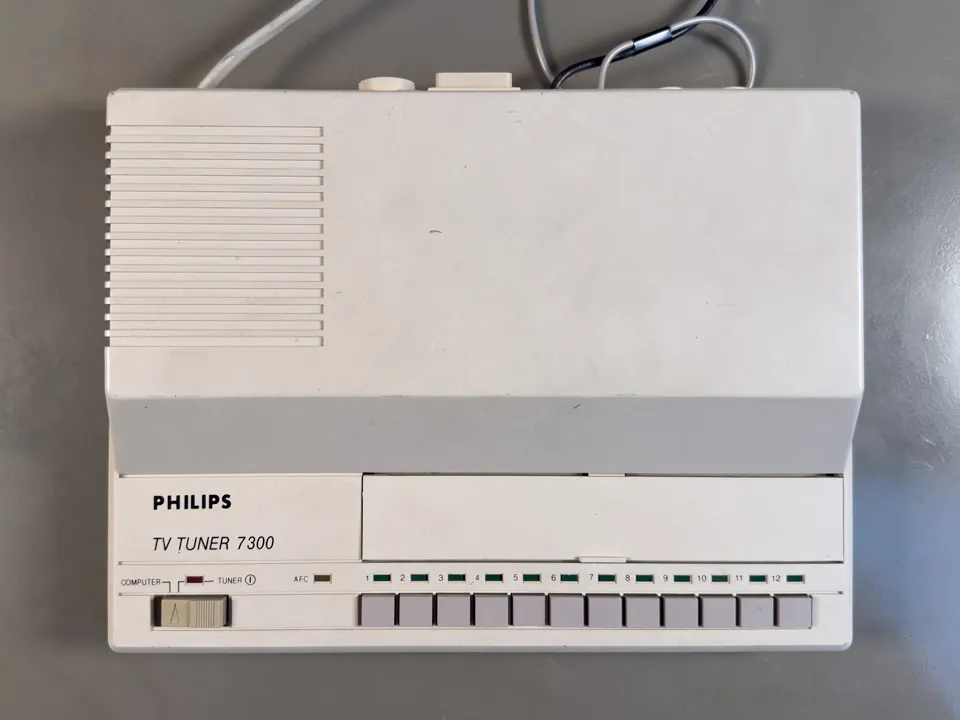
The Philips AV7300 Tuner
What it does
The Philips AV7300 was first sold in 1987 and converts analogue Tv signals into a composite video output and an audio output which can be used on any monitor with a composite input. It is basically an analogue TV without the display.
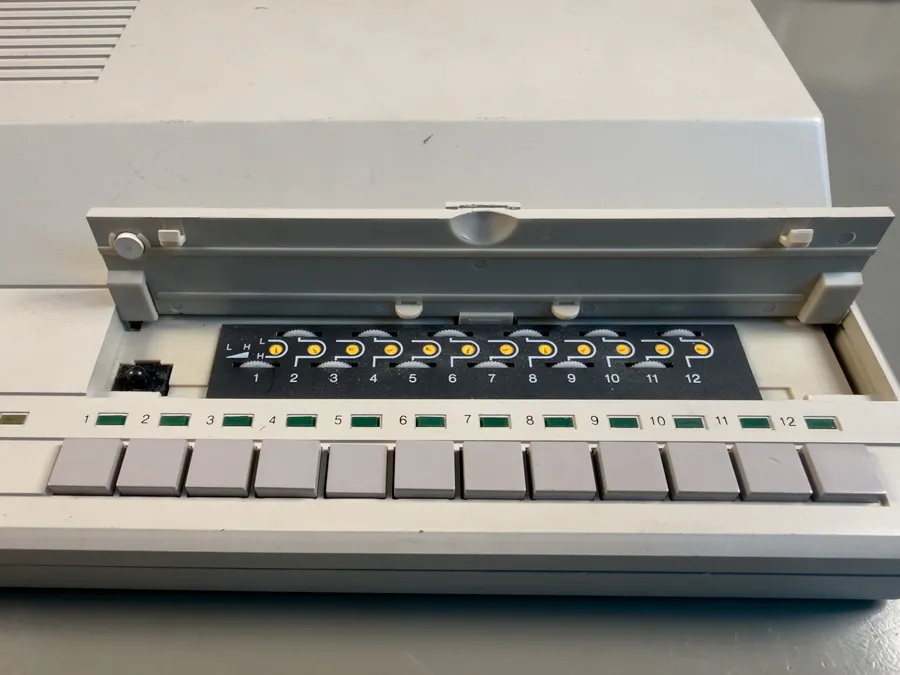
Lots of dials and buttons
The AV7300 stores twelve preset channels. Each preset tuned using a small rotary dial, so channels are tuned in by hand, one at a time, in true 1980s fashion. On the back it has an aerial input, composite video in, composite video out, audio in and audio out.
The video and sound outputs are on phono (RCA) connectors, so hooking it up to a monitor or my video scaler is straightforward.
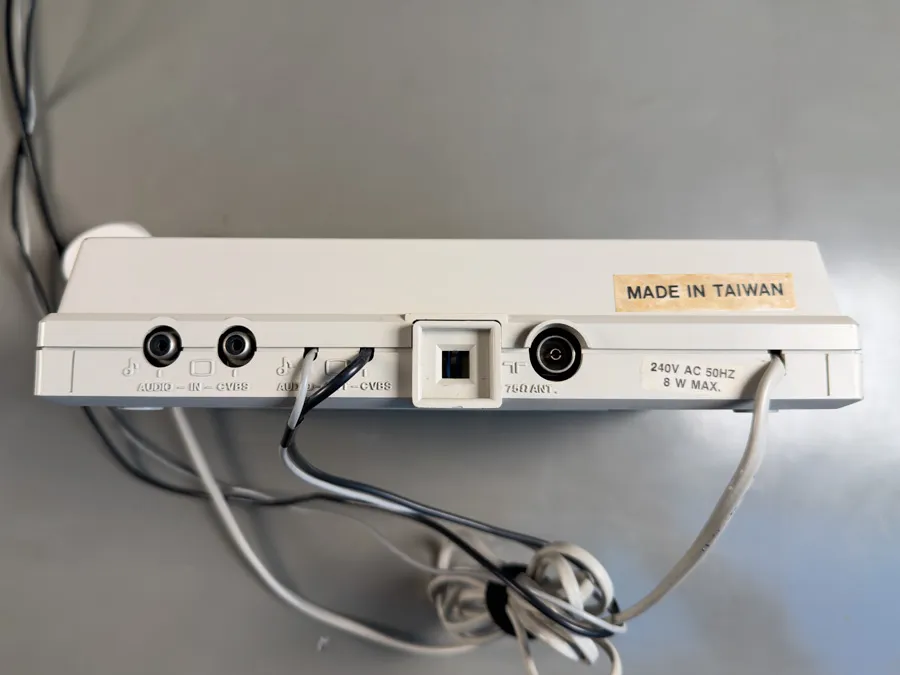
A view from behind
Looking inside
As with any old electronics before plugging it into the mains and turning it on it is a good idea to have a look inside and make sure there are no blown fuses or bulging capacitors.
The first issue I found was the rubber feet on the bottom of the case had perished and turned into a sticky goo that would leave white marks on any surface the device was placed on. I scraped off the feet, cleaned the case with alcohol and replaced them with new rubber feet.
After removing the screws and lifting off the top I found a PCB typical of the 1980s with a single sided brown circuit board and through hole components. All of the electronics are analogue with no microcontrollers or digital electronics to be found.
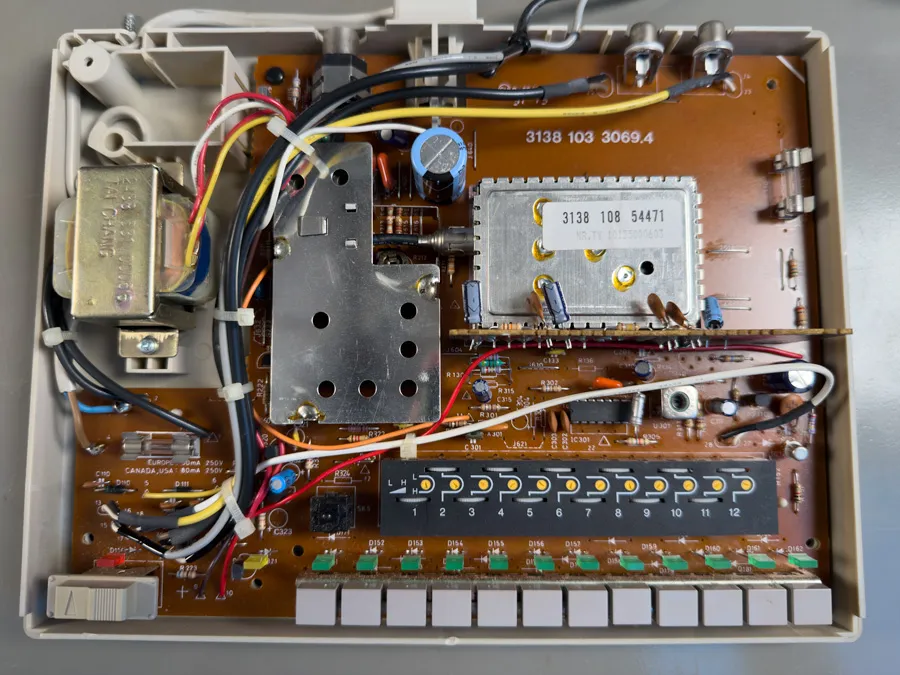
Looking Inside
Power is provided using a transformer to step the mains voltage down and a rectifier circuit to convert the AC to DC. After doing some research on the AV7300 it seems that it borrows the IF (intermediate frequency) section of the Philips System 4 (K40) colour television chassis, so it's essentially the front end of a Philips TV in a box of its own.
At the front of the box are 12 switches each with its own LED and tuner dial so you can use it on 12 different computers or game consoles without having to retune when you swap between them.
I inspected the circuit for any signs of damage and checked all of the electrolytic capacitors to make sure they were still within spec. One thing to note, if you try repairing one of these boxes, is the mains fuse and power connectors are exposed on the PCB so be careful if you power it up with the top off as you could electrocute yourself. If you don’t have experience working on high voltage electronics find someone who does.
Everything looked ok so I put the cover back on, connected the output to my video capture box and plugged it in. Turning it on, the power LED and one of the channel LEDs lit up but there was no signal coming out of the video port. I connected the RF output from my BBC Micro to the tuner and turned the tuning dial. After a while a black screen with the BBC basic prompt appeared on the monitor and the tuned LED lit up. It seems that the AV7300 only outputs a signal when it has a lock on an RF input.
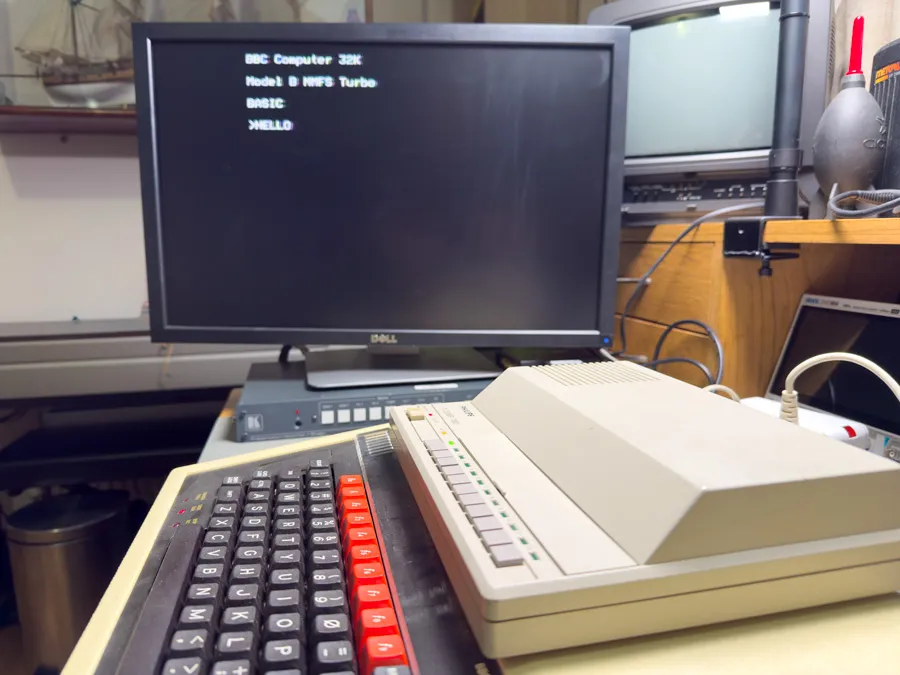
Using the BBC Micro with the AV7300
To test the colour and sound output I connected the AV7300 to my Amiga 1200. It worked perfectly and the video quality is comparable to any TV I have used with the Amiga. The quality is not as clear as a direct connection to the RGB output on the Amiga but that is to be expected. The signal is being modulated into an RF signal and then demodulated into a composite signal so there will be some loss in signal integrity along the way.
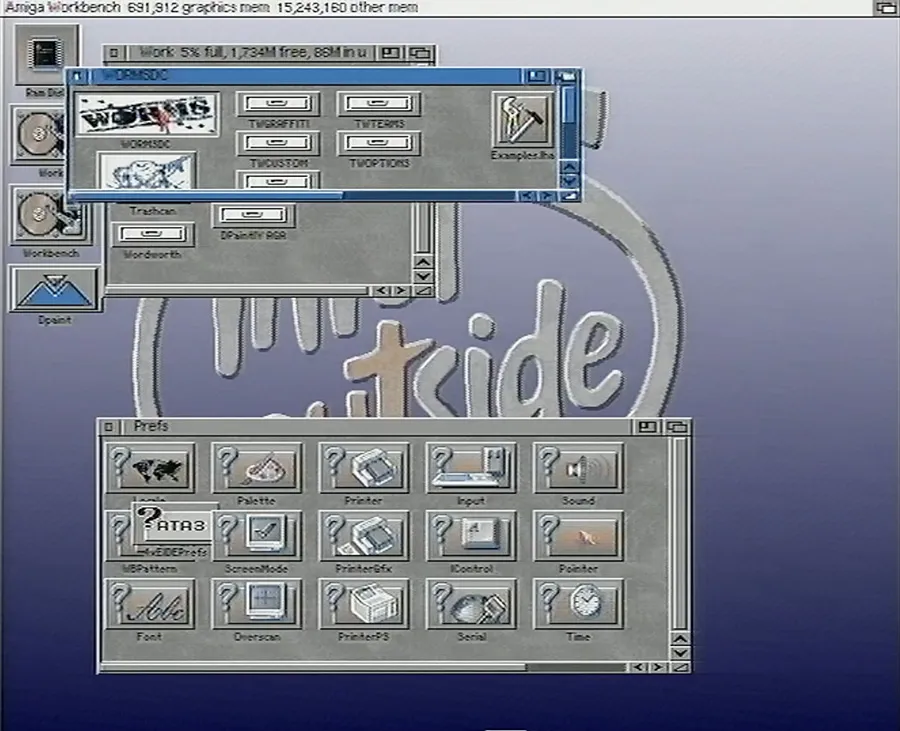
Using the Amiga 1200 on an RF output
Now I have the means to view and capture video from RF signals it opens up the door to more old computer and gaming systems. The only other issue I have is the SCART to HDMI converter I use stretches 4:3 video to 16:9 widescreen so video output from the computers looks distorted. The Kramer VP-770 video scaler does not have RGB video input, only composite, so I can not connect the RGB output from the computers directly to the scaler. It does have component (Y, Pb, Pr) inputs so my next project may be to design an RGB to component converter so I can bypass the RGB to HDMI converter and send the analogue signals directly to the scaler.
Restoration notes
If you decide to buy a Phillips AV7300 one thing to check is the TV system on the label. Units sold in mainland Europe would normally be set up for PAL B/G, which uses a different sound carrier spacing from the UK's PAL I system, so on a UK-spec machine you may get a picture with no sound. Units sold in the US would be set up for NTSC so you may not get a picture or audio if you are using it with a PAL outputting computer.
At nearly forty years old, there are a few things worth checking on any AV7300 you pick up:
- The preset tuning potentiometers and band switches can become noisy or intermittent. A little switch cleaner usually brings them back.
- The electrolytic capacitors are of an age where replacing them is sensible if the picture is unstable or the unit hums.
- Check the mains input voltage to make sure it matches the voltage in your region.